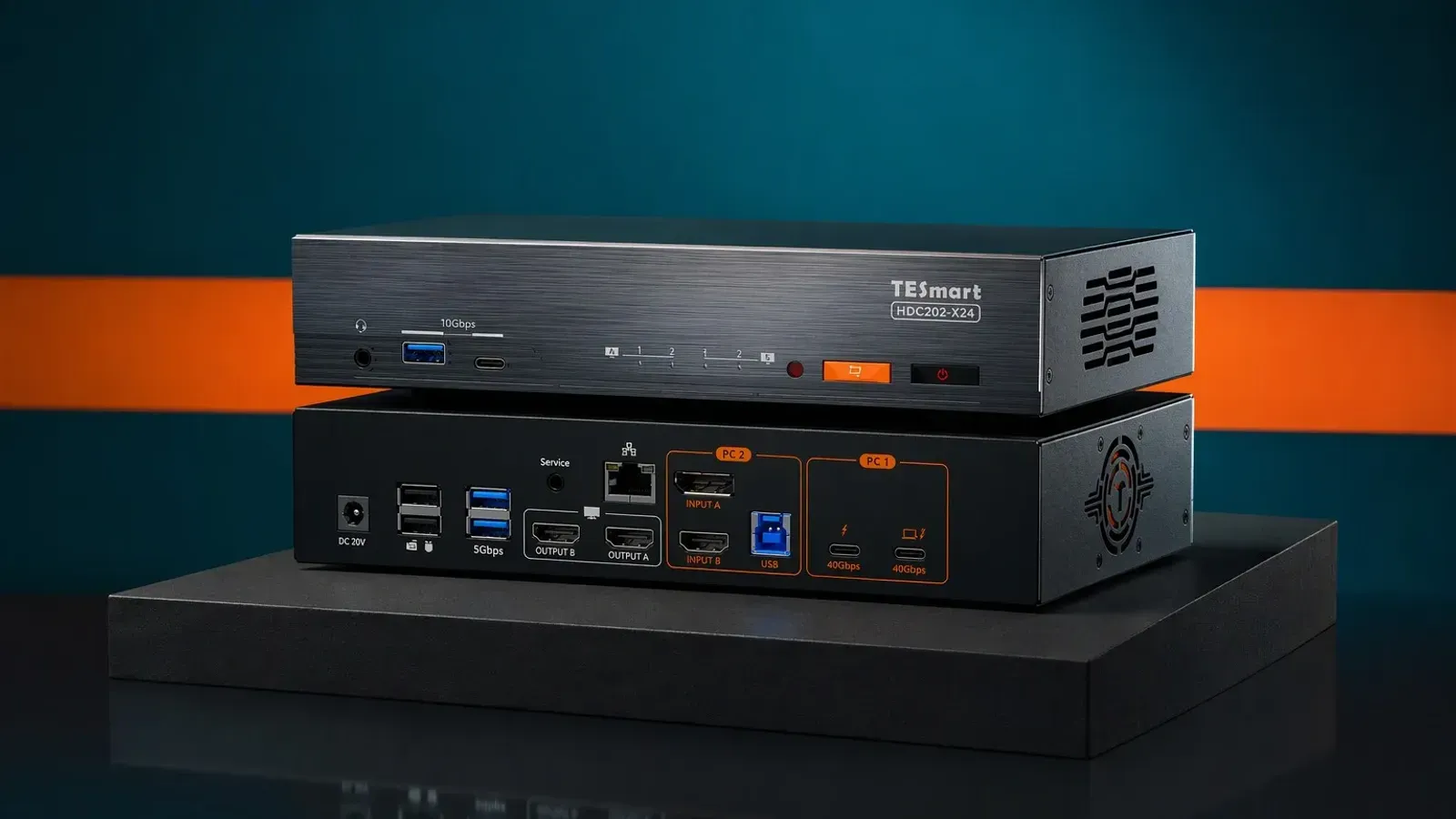
The best USB-C KVM switch for most hybrid Mac and Windows desks is the TESmart HDC202-X24, a 2-input dock/KVM that shares dual 4K60 displays and charges a laptop at up to 60W.
Which USB-C KVM type fits your desk?
True KVM vs USB switch
A true KVM moves video, keyboard, and mouse together, which matters as soon as one desk has to support a display and more than one computer. A plain USB switch is narrower: it can share peripherals, but it does not solve the monitor handoff that makes a KVM useful in the first place.
That difference is why the buying decision starts with the desk layout rather than the brand name. If the monitor stays on a single machine, a USB switch may be enough; if the screen needs to follow the active host, a KVM is the right class.
Thunderbolt 4 host requirements
The Thunderbolt 4 option here is not a universal USB-C box. Sabrent says its Thunderbolt 4 KVM is for Thunderbolt-certified host systems only, so it suits buyers who already know their laptops are in that lane.
That rule matters because the premium KVM category can look interchangeable from a distance while hiding the real constraint: the host path. If a laptop is not Thunderbolt-certified, the safer move is to stay with a standard USB-C KVM that does not make that demand.
One-monitor, dual-monitor, and four-PC layouts
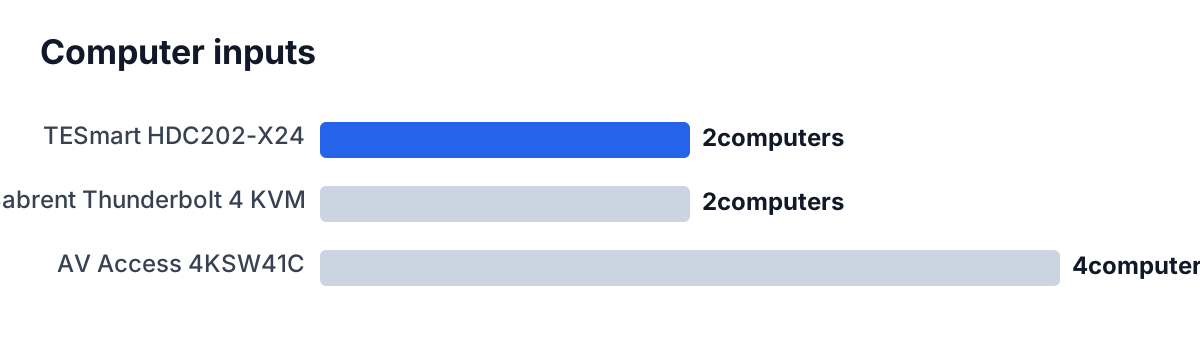
Desk topology decides most of the rest. TESmart is the dual-monitor hybrid choice, with 2 computer inputs and 2 HDMI outputs. Sabrent is a two-computer Thunderbolt KVM with single-screen output up to 8K@60Hz or dual displays at up to 4K@60Hz.
If the desk needs more than 2 computers, AV Access is the outlier in this group because it controls 4 PCs. It also pushes the refresh-rate story harder than the other two, with 1080P@240Hz support and a 2-3 second switching claim.
The short version is simple: choose TESmart for a dual-monitor hybrid workstation, Sabrent for Thunderbolt-first laptops, and AV Access when 4 machines have to share the same desk.
| Product | Best for |
|---|---|
| TESmart | Hybrid dual-monitor desks |
| Sabrent | Thunderbolt-certified hosts only |
| AV Access | Four-computer desks |
If you want the best all-around dual-monitor KVM, this is the one to start with.
Best overall USB-C KVM switch: TESmart HDC202-X24
Why it wins for hybrid Mac and Windows desks
TESmart is the strongest all-round answer because it behaves like a dock and a KVM at the same time. It shares dual 4K60 displays between 2 computers, pushes 40Gbps Thunderbolt data on the laptop path, and still leaves room for 1000Mbps Gigabit Ethernet plus 10Gbps USB peripherals.
That mix is exactly what a hybrid desk needs when one machine is a laptop and the other is a desktop or workstation. The box does not ask the buyer to choose between convenience and proper desk routing; it handles both, then adds EDID emulation so windows and resolutions stay locked in place when switching.
The switching ergonomics are also unusually complete. Keyboard hotkeys, a front-panel button, an IR remote, and mouse-wheel switching cover the common ways people actually use a KVM, so the desk does not depend on one awkward interaction just to move from one machine to the other.
Where it is overkill
TESmart is not the right answer for every buyer. If the desk only needs a single display, the dual-HDMI layout is more box than necessary, and the 2-input design means larger multi-computer setups should look elsewhere.
It is also a better fit for someone who values a dock-style workstation than for someone who only wants a bare switch. The appeal here is the combined desk function: 60W charging, 10Gbps USB, Gigabit Ethernet, and stable display handoff in one unit.
If the desk is a serious dual-monitor hybrid setup, TESmart is the one to buy.
Best Thunderbolt 4 pick: Sabrent Thunderbolt 4 KVM Switch
Why it suits certified Thunderbolt desks
Sabrent is the right pick when the host machines are already Thunderbolt-certified. It supports 2 computers, transfers up to 40Gbps over its Thunderbolt 4 ports, and can drive either a single display up to 8K@60Hz or dual displays at up to 4K@60Hz.
That makes it the most obvious match for a premium desk that already lives inside the Thunderbolt ecosystem. Buyers who want the strongest monitor ceiling here, but do not need the TESmart dock extras, will find this layout cleaner.
The included 70cm Thunderbolt cable is also a practical detail, because a KVM that depends on short host runs can be annoying if the desk is spread out. The 60W PD bypass charging is enough for many laptops without pretending to be a high-wattage workstation dock.
What to watch before buying
The key limitation is the same thing that makes the product specialized: it is for Thunderbolt-certified host systems only. That is perfect for the right desk and wrong for a laptop that only needs ordinary USB-C behavior.
The other thing to remember is that this is still a two-computer box. If the setup needs 4 machines or if the buyer wants a more general-purpose dual-monitor dock, TESmart or AV Access is the better lane.
If you want a Thunderbolt-first KVM and both hosts qualify, Sabrent is the one to buy.
Best four-PC alternative: AV Access 4KSW41C
Why four inputs matter
AV Access exists for a different kind of desk: the one that has to share gear across 4 PCs. That is the main reason it belongs in this guide. Most KVM shoppers never need that much switching capacity, but the people who do usually know it from the start.
The video story is also useful. The USB-C input supports video up to 4K@60Hz 4:2:0 8bit, while the higher-refresh modes go as far as 1080P@240Hz. That makes it a sensible option for a mixed office-and-gaming desk where not every computer has the same display needs.
AV Access also keeps charging in the picture with up to 60W on the USB-C input, so the desk can still stay reasonably tidy even when the switch count goes up.
When faster switching beats fancy docking
This is not the model for someone who wants dock-like extras or Thunderbolt-specific behavior. It is the model for someone who wants the 4-machine handoff to stay quick and predictable. The maker says switching takes 2-3 seconds, and EDID emulation sits on each input port, which helps make the transition feel less disruptive.
The 4 USB-A ports are a nice bonus, but the real selling point is still the desk shape: 4 PCs in, one shared monitor and peripheral set out. If that is the problem to solve, the box earns its place.
Verdict
TESmart is the best USB-C KVM switch for most readers because it fits the most common hybrid desk: 2 computers, dual 4K60 displays, useful laptop charging, and simple switching. It is the cleanest all-around recommendation.
Buy Sabrent if the desk is Thunderbolt-first and both hosts are certified; buy AV Access if the real need is 4 computers on one desk. The verdict would only change if a different box matched TESmart’s mix of dual-monitor sharing, dock features, and switching options more closely.
If you want the safest all-around pick, TESmart is the one to get.